 ImageGrab
Save the images you want, in the order you see them.
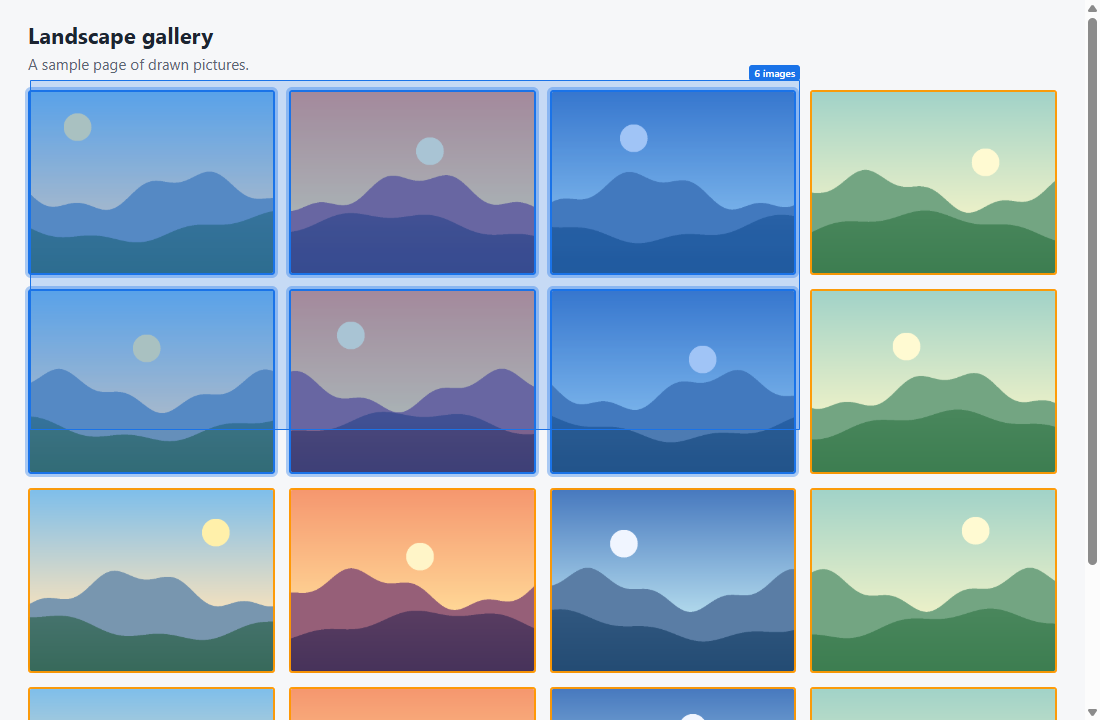
ImageGrab is a browser extension for Chrome and Brave. It finds the images on the page you are viewing, shows them with their real sizes, and saves the ones you choose to your computer.
Launching on the Chrome Web Store
How it works
It runs only on the tab where you switch it on.
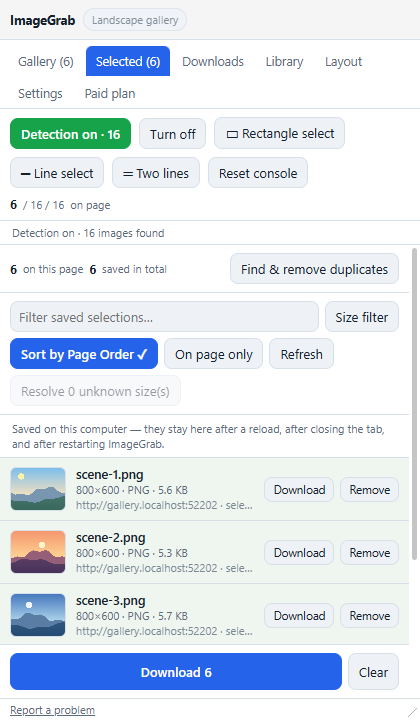
- Switch on detectionOpen the side panel on a page. ImageGrab lists its images with their real sizes.
- Select your imagesClick them one by one or drag a rectangle. Filter by size and format.
- Save themThey download to your computer in page order, with pause and retry.
Pricing
Start free, with no account. Subscribe from inside the extension when you need more.
Free
$0
No account needed
- Click and rectangle selection
- Filters by size and format
- Library and download history
- 100 images every 24 hours, counted from your first download
Monthly
$5 / month
Cancel anytime
- Everything in Free, with no download limit
- Line and two-line selection
- Select all and Auto select
- Scan a whole page and collect its next pages
- Duplicate finder and custom shortcuts
Yearly
$48 / year
Save 20% compared with monthly
- Everything in Monthly
- Billed once a year
A subscription works on up to 3 browsers. Your license key arrives by email after checkout. Payments are handled by Lemon Squeezy, our merchant of record, so sales tax may be added at checkout depending on where you live.
Questions
Do you see what I browse or download?
No. Your pages, images and selections stay in your browser. Only your license key is sent, and only to check your subscription. See the privacy policy.
Can I save any image I find?
ImageGrab works on pages you are allowed to view. You are responsible for having the right to save and use the images you download. See the terms.
How do I cancel?
Cancel anytime from the billing page linked in your receipt email. Paid tools keep working until the period you paid for ends. See the refund policy.
How do I get help or report a bug?
Email imaggrab@gmail.com.